 Kakuchi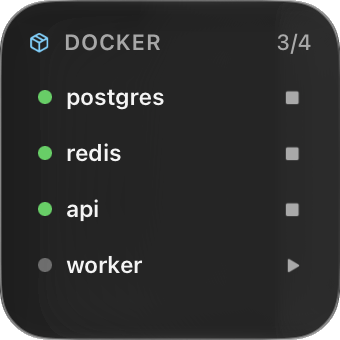
Put it where you want it
Docker is one of Kakuchi’s 50+ built-in widgets. Like all of them, it can sit on your desktop, open from the notch, live in the menu bar, show on the lock screen, or float on top of full-screen apps. Resize it from its corner, and right-click › Widget Settings to change what it shows.
Add it
- 1Install Kakuchi and activate it with your licence key.
- 2Click Kakuchi's menu bar icon and choose Widget Gallery.
- 3Search for Docker and click Add to Desktop.
- 4Right-click it for Keep on Top, Add to Menu Bar, Show in Notch or Show on Lock Screen.
Want it different?
Right-click the widget and choose Change with AI, then say what to change. Or describe a widget that doesn’t exist yet and Kakuchi builds it with the AI you choose.
More developer widgets
- Localhost
Every dev server running on this Mac, with Open and Stop.
- Git
Which repos have uncommitted or unpushed work.
- Pull Requests
Your open pull requests and review requests on GitHub.
- Homebrew
Outdated packages and a one-click upgrade.
- Claude Code
Tokens used today and over the week, read from local logs.